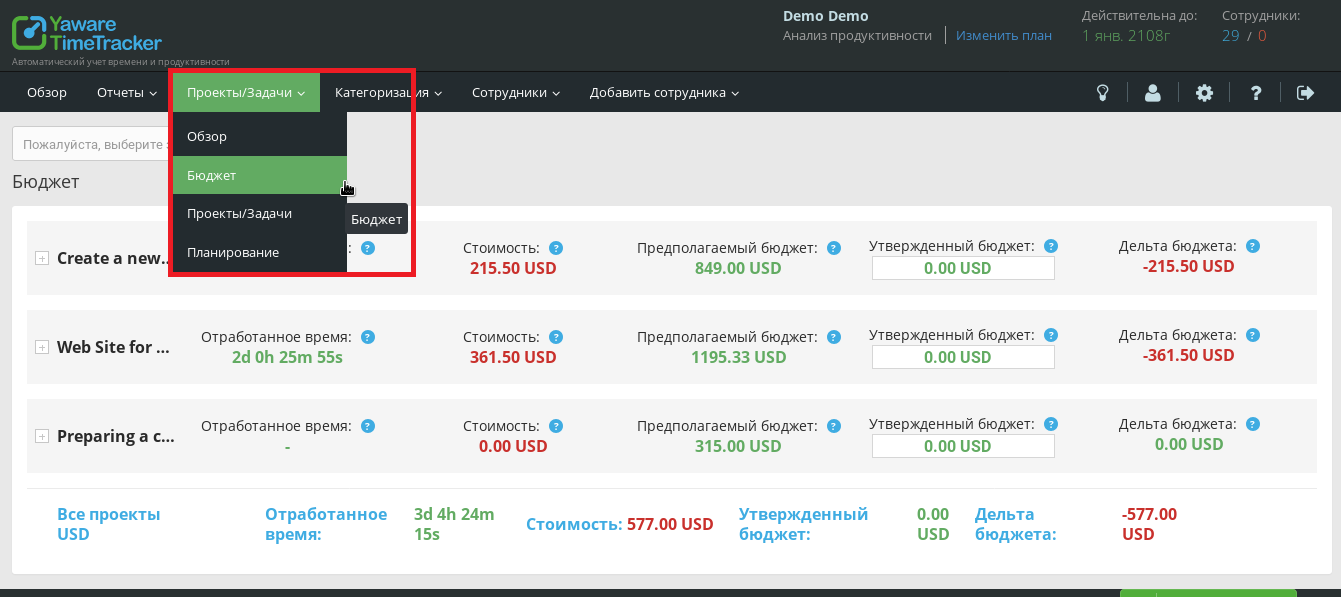
To control and analyze the budget, use the budget report in the Projects / Tasks > Budget menu.
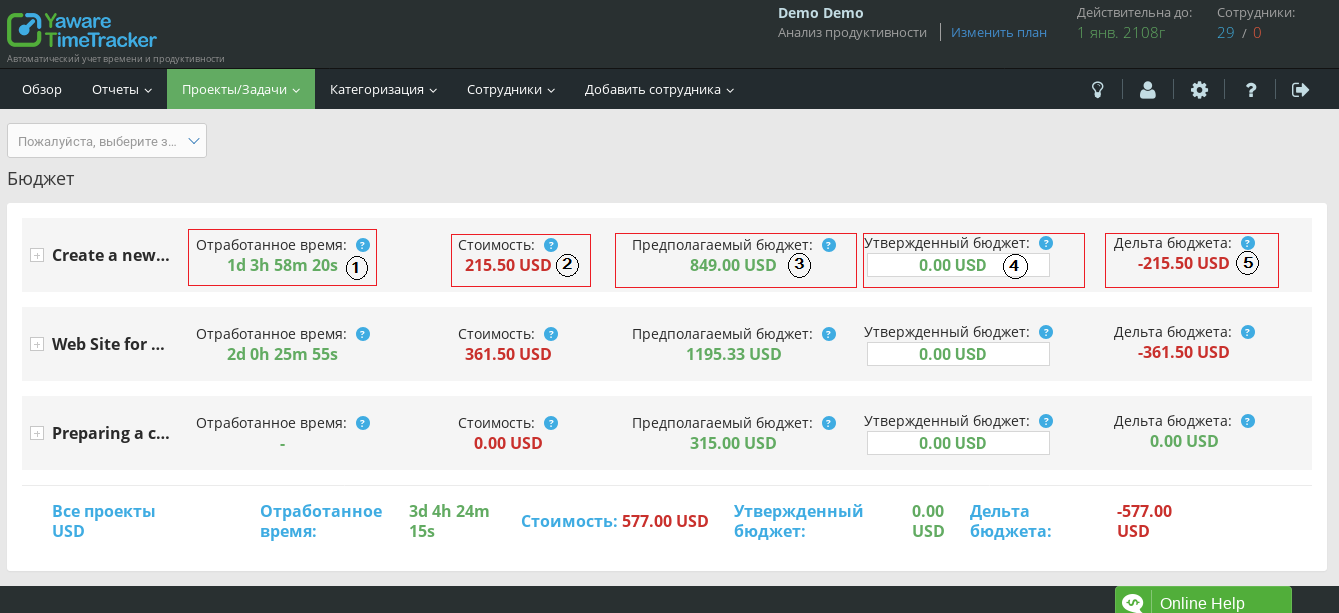
The report shows the total costs of the project, as well as the budget for each task. The project budget consists of the main items that allow you to analyze all the cost factors:
- Project time worked shows how much time was actually spent on the project. The time of all project tasks is summed up.
- The cost shows the actual cost of the project at the moment. The cost increases in proportion to the time worked.
- Estimated budget is based on preliminary calculations of fixed rate and estimated time of tasks.
- Approved budget shows the planned budget. Approve the budget according to the estimated time of the project.
- Budget delta is the difference between actual costs and the approved budget. If the budget delta is red, the actual budget exceeds the planned expenditure.
Quickly edit the project budget by clicking the edit icon directly in the Approved Budget field. Then save the changes.
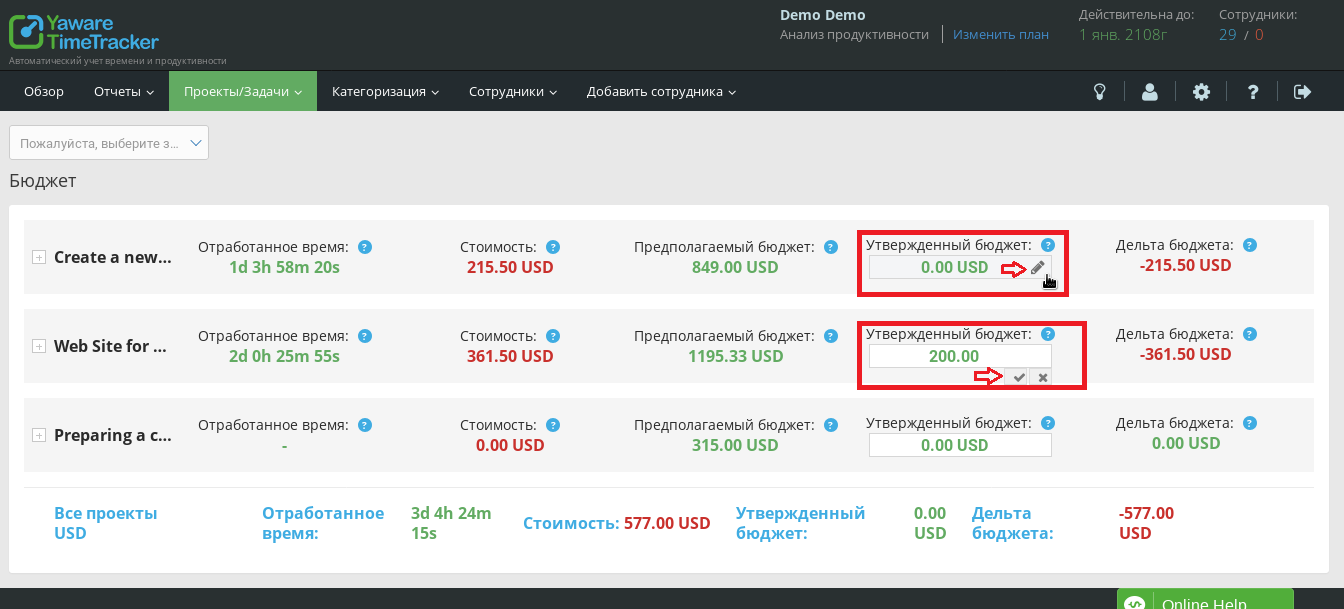
Expand the project to see the cost, budget, and bid for individual tasks. In the tasks field, you can change the estimated time — the possible time for completing the task, the rate per hour, and approve the budget for the task. Click on the edit icon, change the data and save the changes by clicking the “tick”.
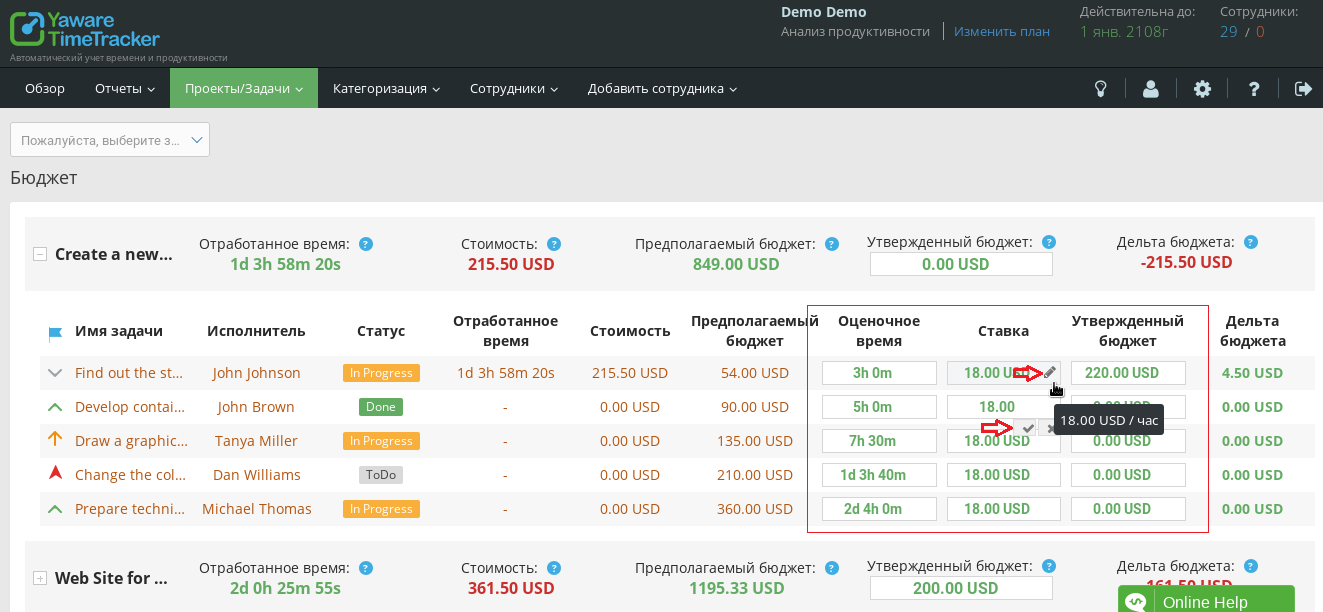
The budget delta of each task is automatically calculated according to the actual time worked and the hourly rate. Delta shows the difference between the planned budget for the task and the actual costs.
At the bottom of the page, summarized data for all projects are displayed.
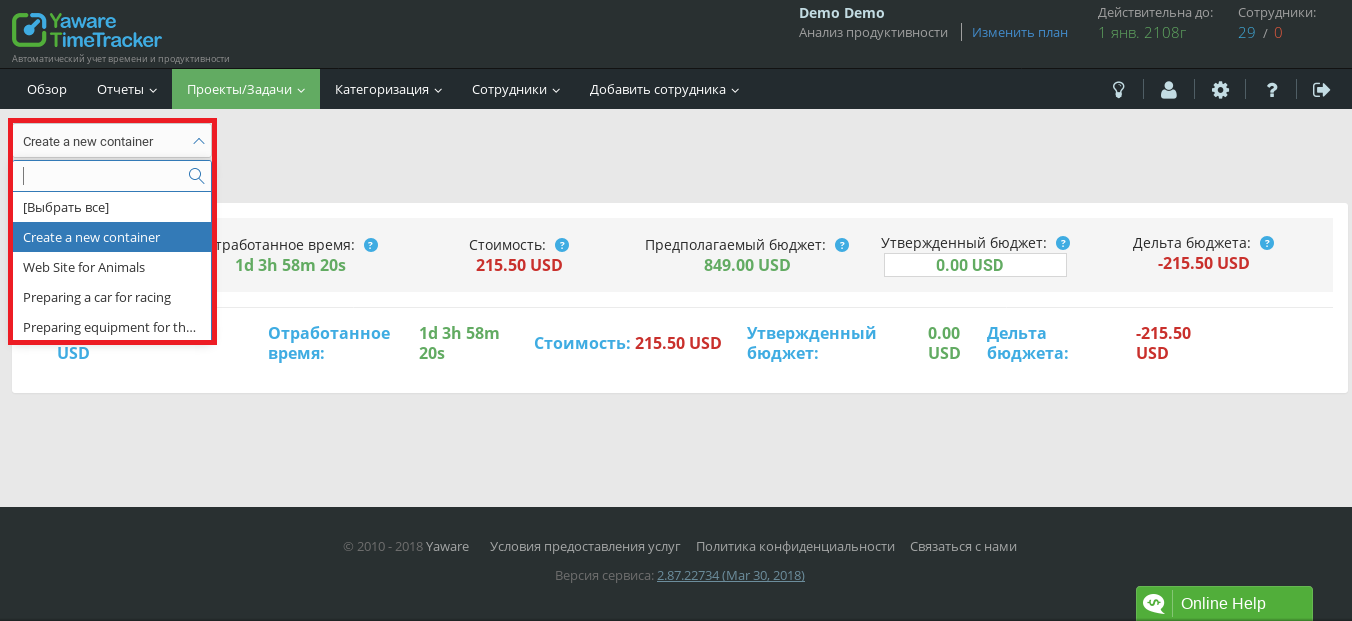
To filter projects, select the desired projects from the drop-down menu in the upper left corner.