
The currency of the project is specified for reporting on the performance of tasks and the project itself, as well as intermediate calculations.
You can enter currency into the project in 2 ways:
- when creating a project;
- when editing the project.
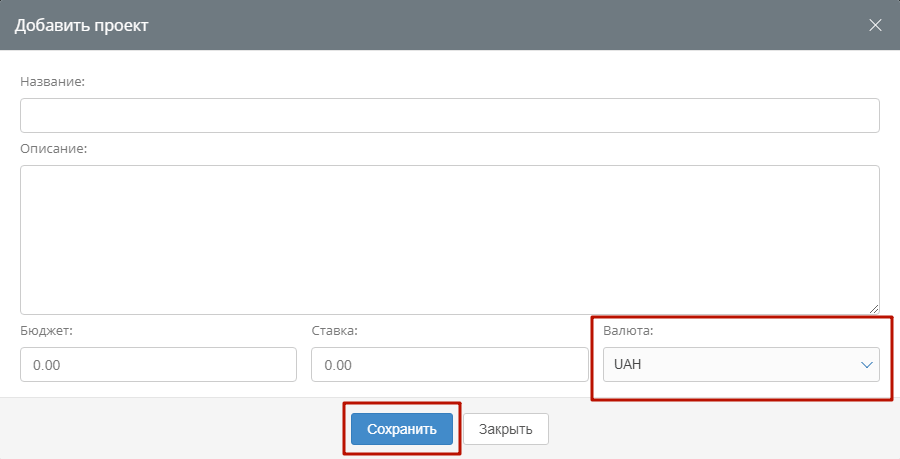
When creating (adding) a project, click on the “Currency” window in the lower right part of the form. Select the required currency from the list, then click the save button at the bottom.
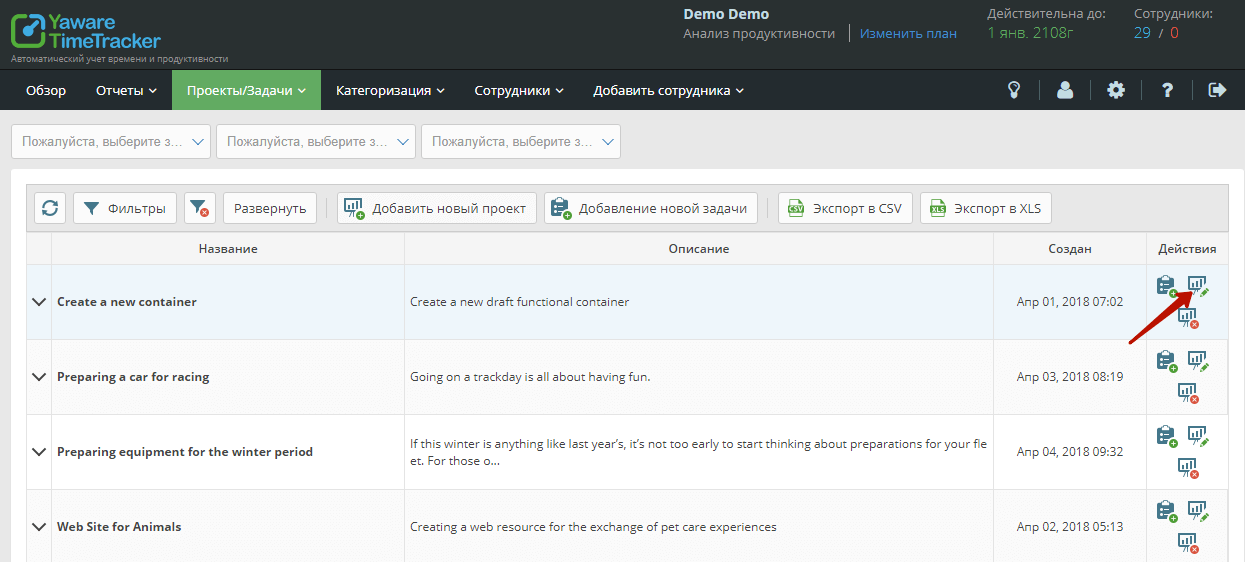
Similarly, you can change the currency in an already created project. Find the project that interests you in the general list.
Click on the “Edit project” icon on the right side of the row. A form with basic project parameters will open before you.
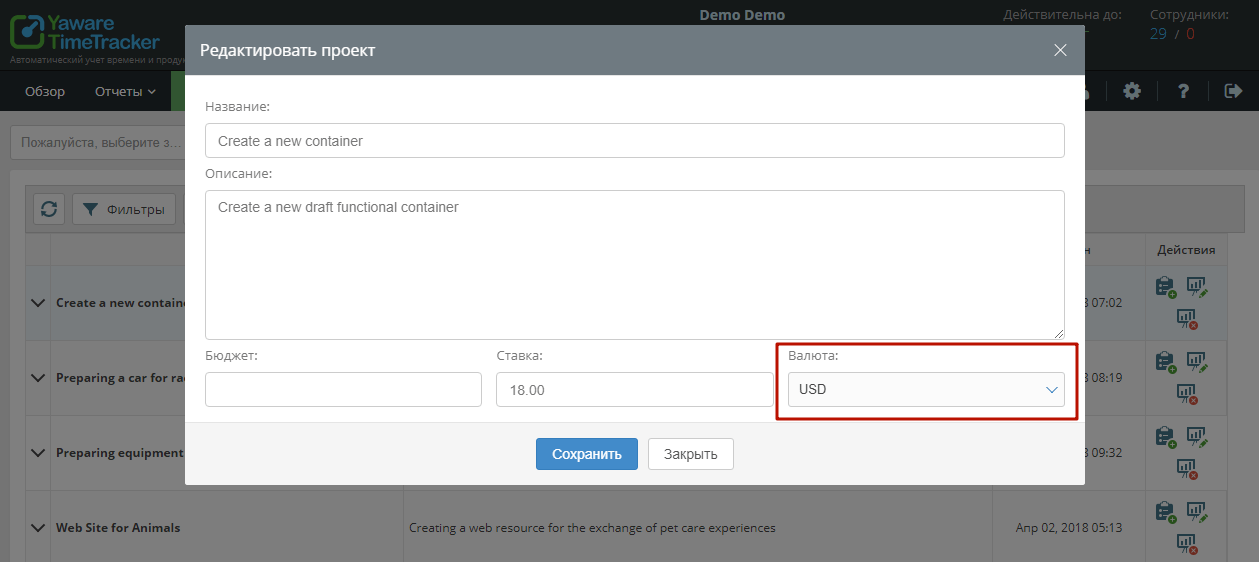
Click on the “Currency” window. Select the desired project currency from the list. Click the “Save” button. Now all monetary indicators for the project, its tasks, settlements with executors will be calculated in this currency.
Important! For the convenience of calculations, do not forget to also change the currency in the tasks of the project edited in this way.