
Logfiles are technical information about how the Yaware plugin works. TimeTracker on the user’s computer and helps, thus, a technical expert is faster to determine why the application fails.
How do I send log files?
Automatic:Right click on the Yaware icon. TimeTracker in track and select “Preferences.”
 Go to log file sources.
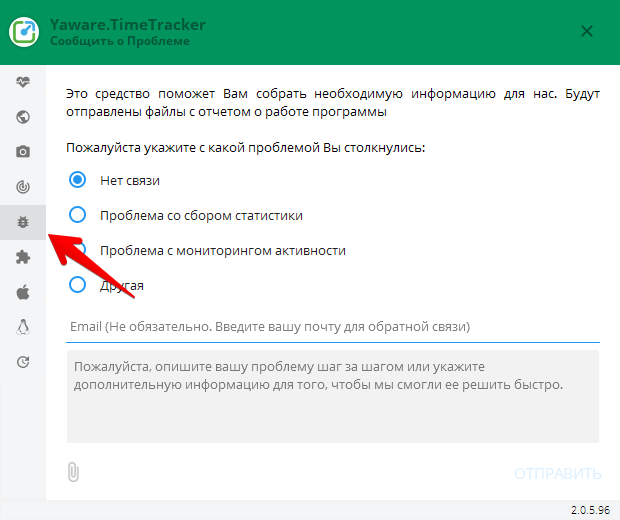 Select the reason you want the sender to briefly describe the situation and press the Adjust button.
Manual:For log files to manually go to the folder where blogs are stored. On each platform, blogs are stored in the next directoral:
- Windows: C:
- Linux:~ / .ywaves / Time Tracker
- macOS:~ / Library / Logs / Time Tracker
Once you go to the principal, you need to archive files in the Logs folder and send them to ZXQPROCT0QZ