
Monitoring Yaware.TimeTracker can be stopped for a few minutes / hours or by the end of the day.
To do that, right click on Yaware’s icon. TimeTracker’s in the system track. Next select “Pause Monitor” and set the time you want.
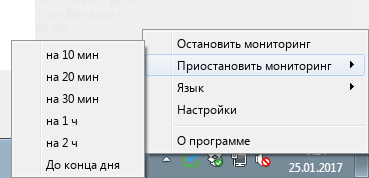 After the end of this time, the monitor will include automatically, according to the graph you specified.
If you need to restore the monitoring of the previous specified time, select “Restore” from the menu.