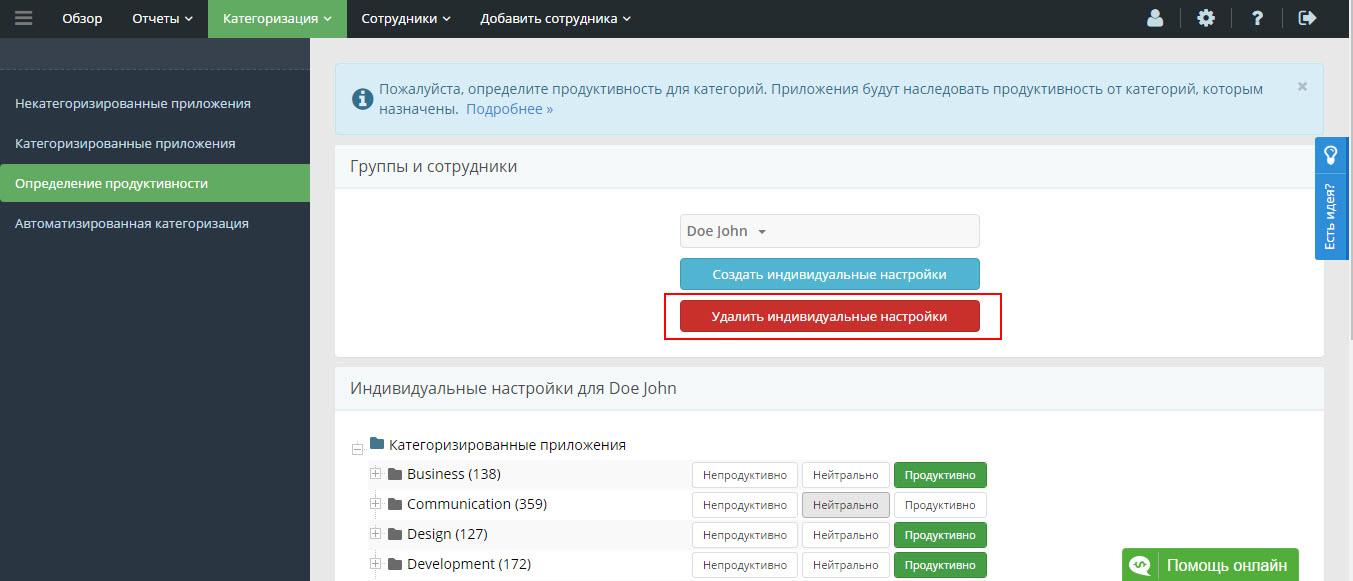
Each category and plugin has its own productivity:
- productive
- unproductive
- neutral
You can change productivity:
- categories, subcategories, individual plugin;
- used resources for all users, for the selected group or specific user (depending on the operating specific).
For example, plug-ins can be marked as a product manager, so non-productive.
To define productivity:
1. Go to Tab“Setting up productivity”.
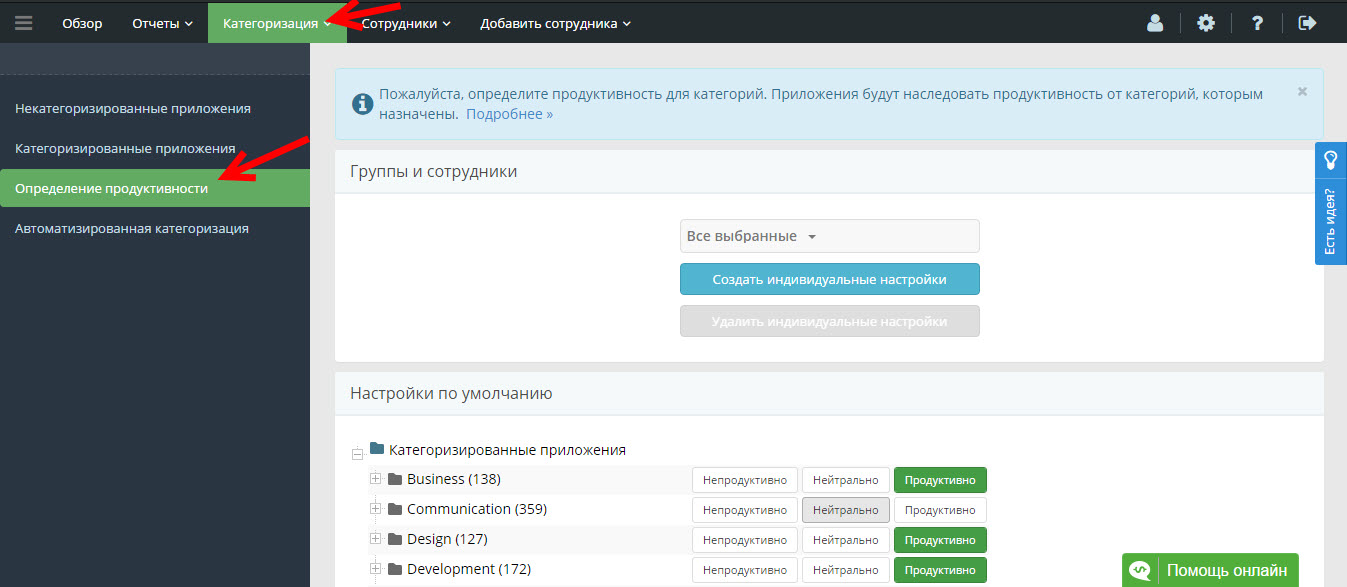
2. Click“Create individual moods.”
Select a group or user to create an individual configuration for.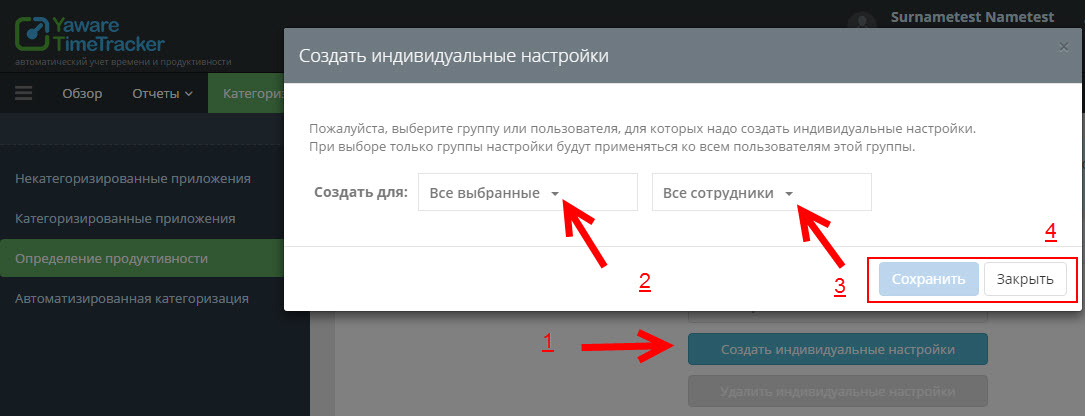
3. You created individual moods for different groups.
If you need to change productivity using some plugins, just click on the left mouse button in the appropriate category. Yaware.TimeTracker remembers changes automatically and does not manually save them.