
Employee activity report
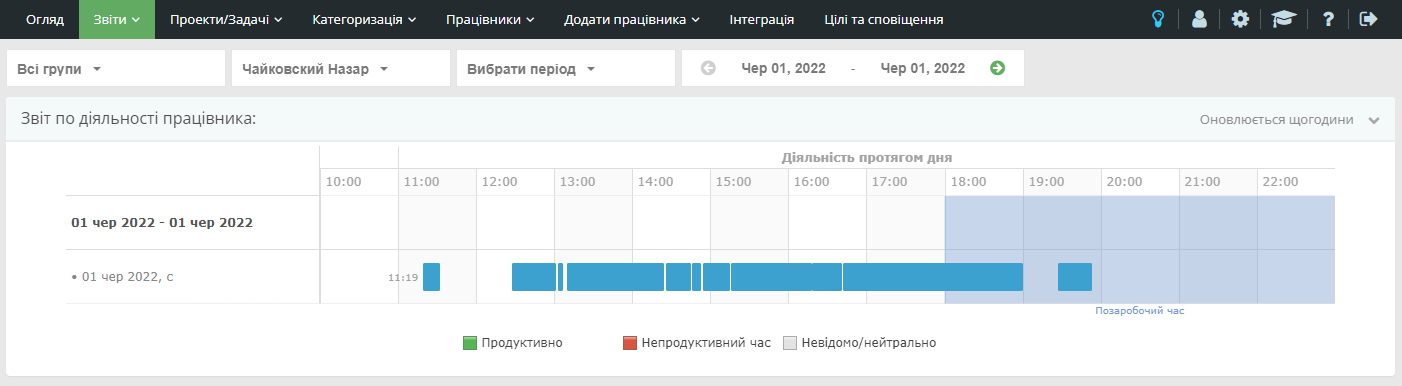
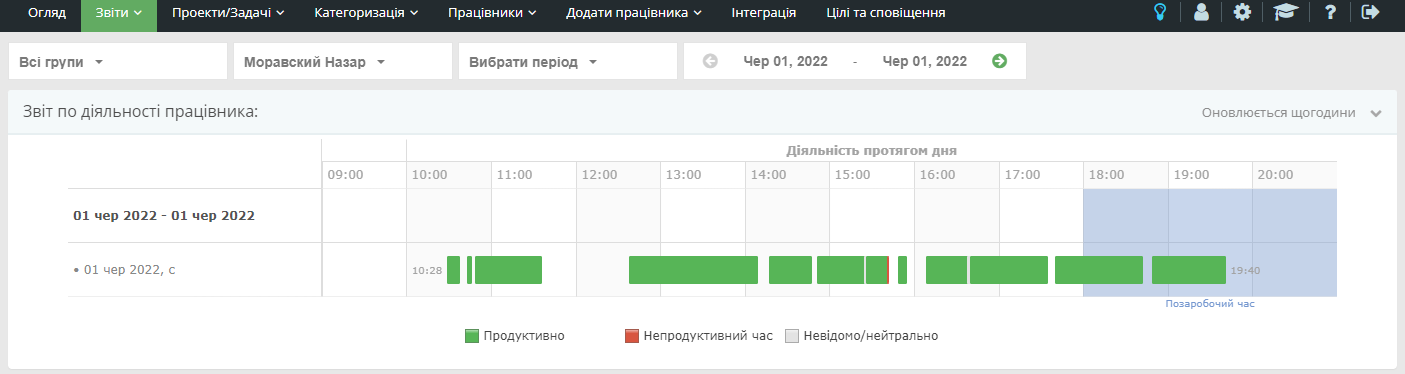
This report provides detailed information about an employee’s work for the selected period (one week by default). It helps you evaluate productive time and compliance with the work schedule.
Employee activity
The report view depends on your subscription plan. Hover over a chart segment to see which resources the employee used and how much time was spent on them.

Productivity structure and dynamics
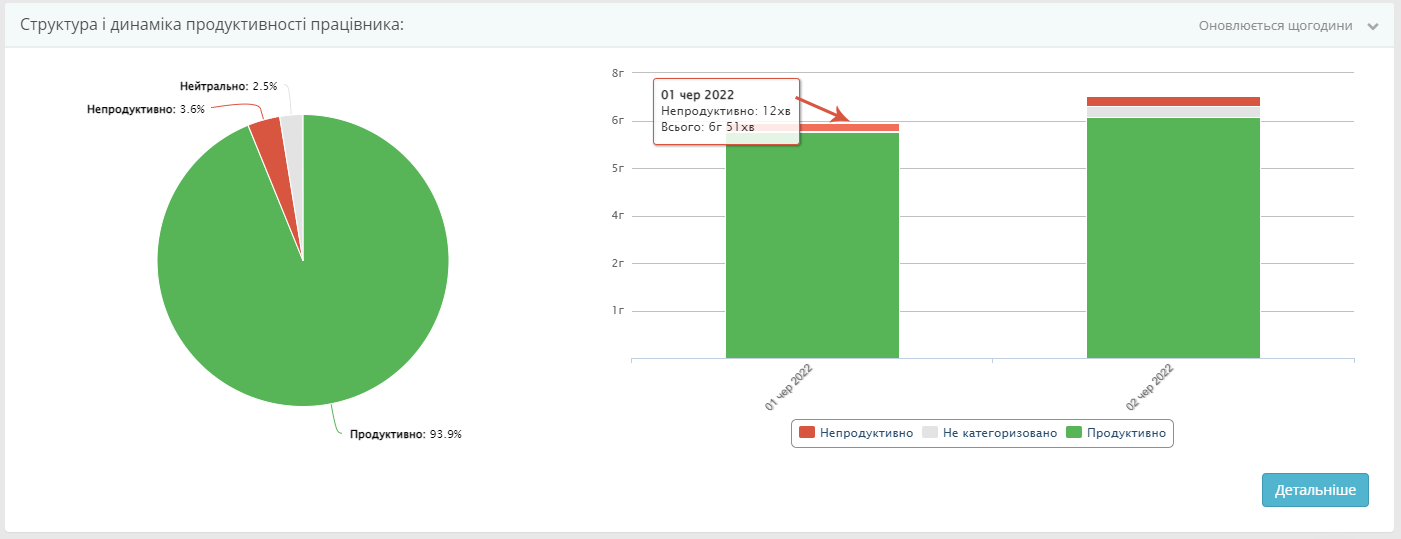
This report shows how much time the employee spent on productive, neutral, and unproductive activities. Hover over the chart to view exact values for a specific day.
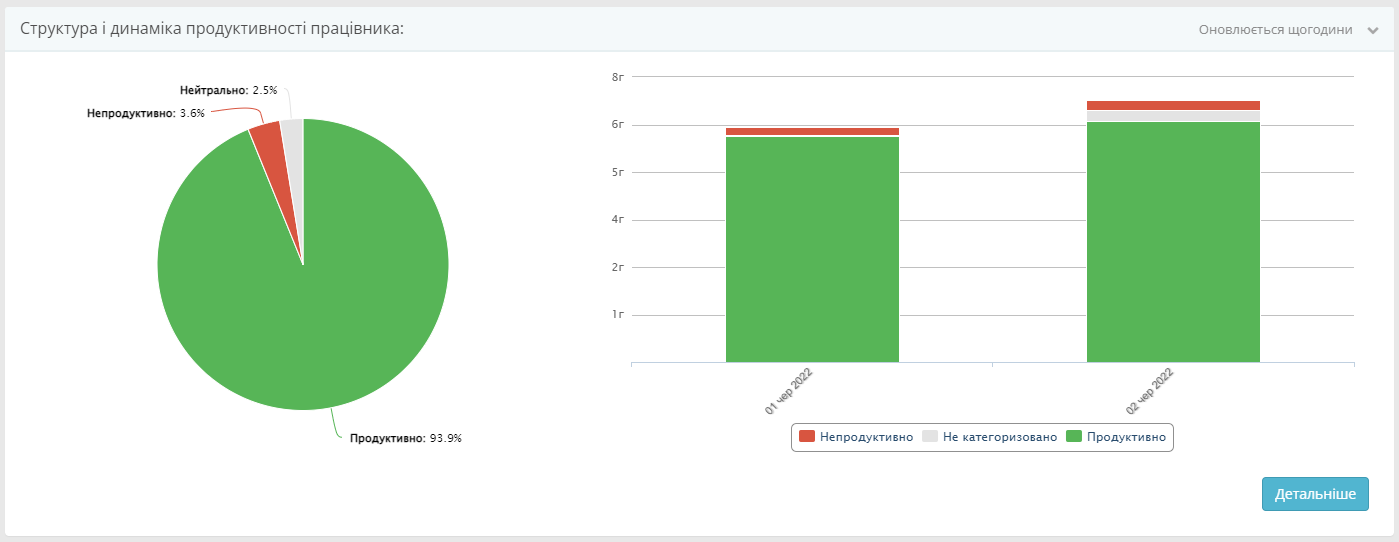
Note: productivity structure and dynamics are not available in the Automatic time tracking plan.
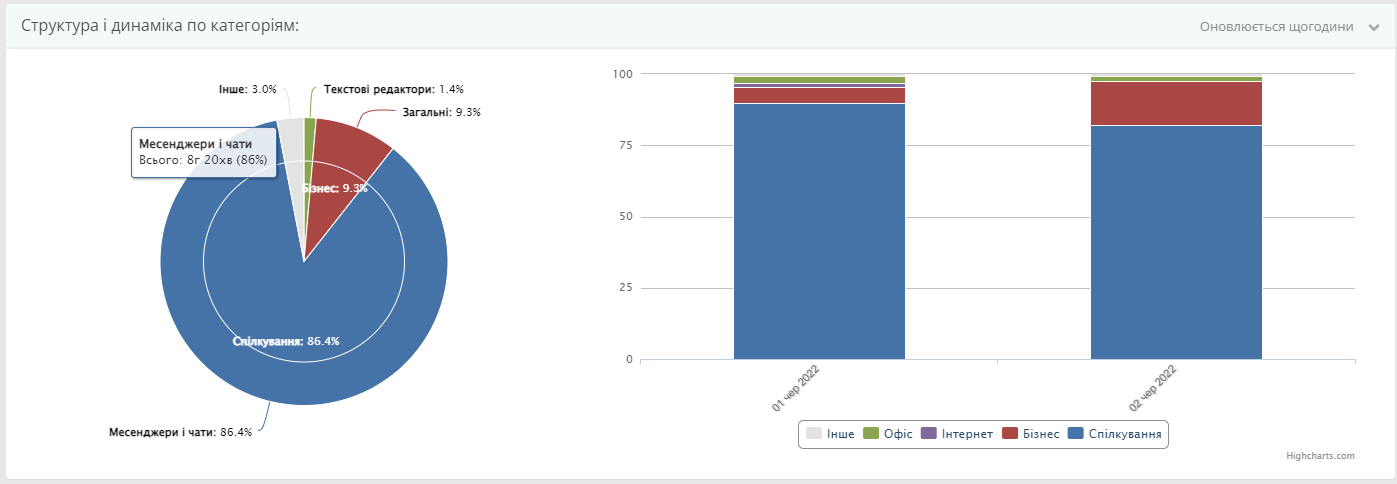
Structure and dynamics by category
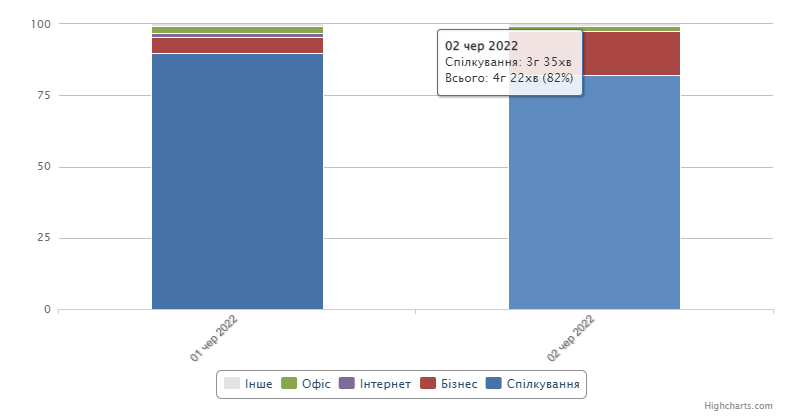
The category report shows which groups of applications and websites consume the most time. Hover over the chart to see the time spent in a specific resource category.
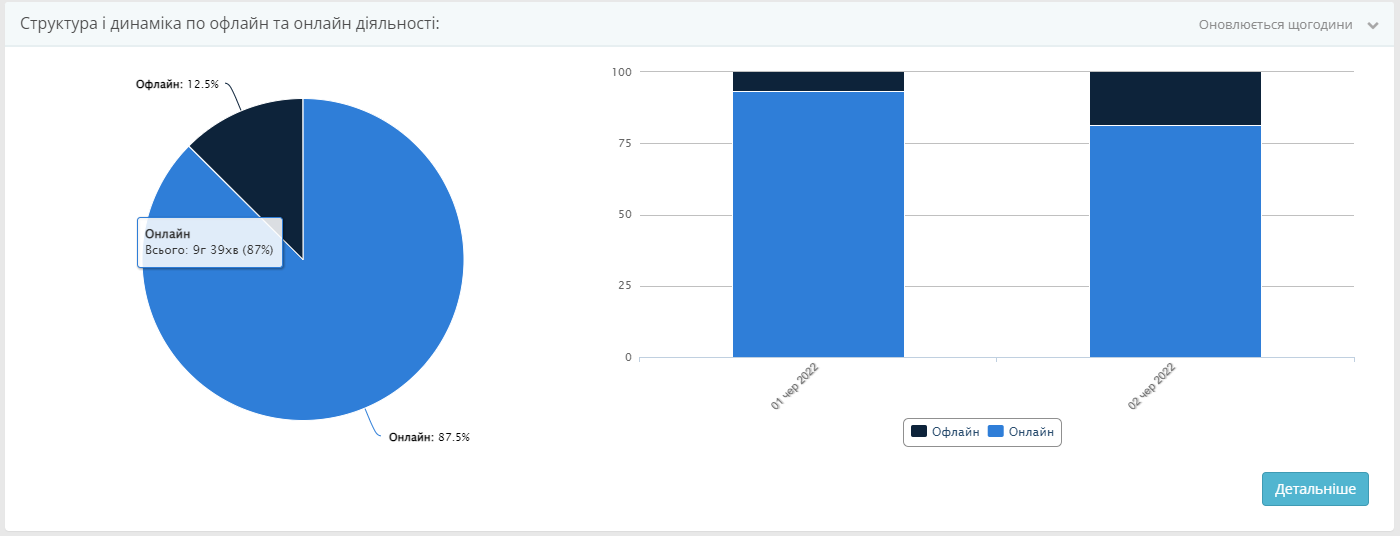
Online and offline activity
This report compares time at the computer with time away from it. The acceptable amount of offline time depends on the employee’s role and responsibilities.
Offline activity structure
The offline activity report explains what an employee did while away from the computer, such as meetings, phone calls, lunch, or breaks. Use these results to compare the time spent on offline activities with their outcomes.
Note: online and offline activity structure is not available in the Automatic time tracking plan.