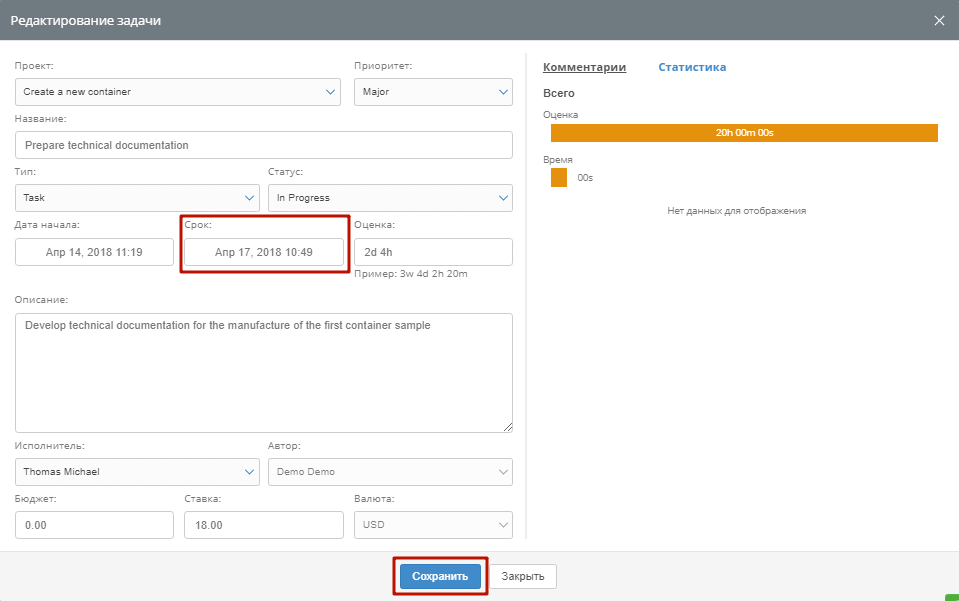
Automatic control of the development of objects and to-dos with the Taipeese shaker is not possible without setting the dadron – the border term to which the task should be executed by 100%.
In addition, the agenda to-do classes also accept the output option for various kinds of reporting, which shows the productivity of a colleague, of his success, to optimize its load and to use opportunities more efficiently.
You can set the agenda when creating a task, and you can change it at any moment when editing it.
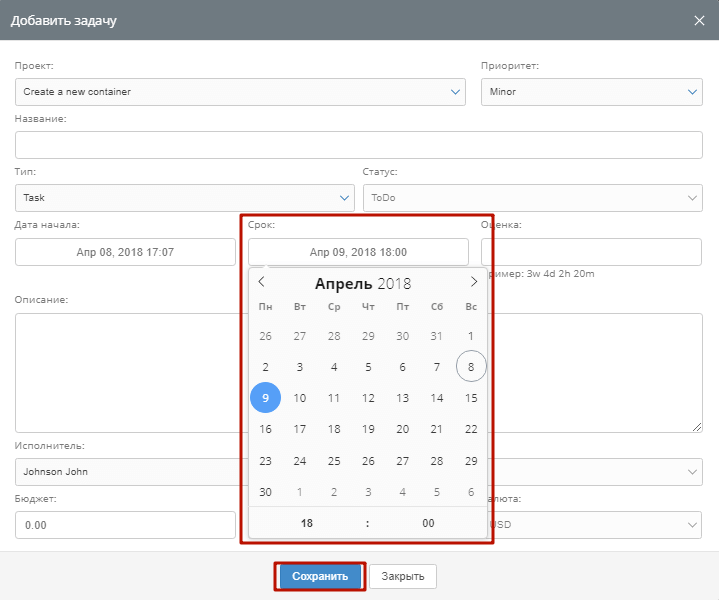
When creating a task, click on the “Term” field. You will be presented with a calendar where you can select and set the necessary dandone date. After installation, do not forget to click the Save button at the bottom of the add to-do form to save the settings.
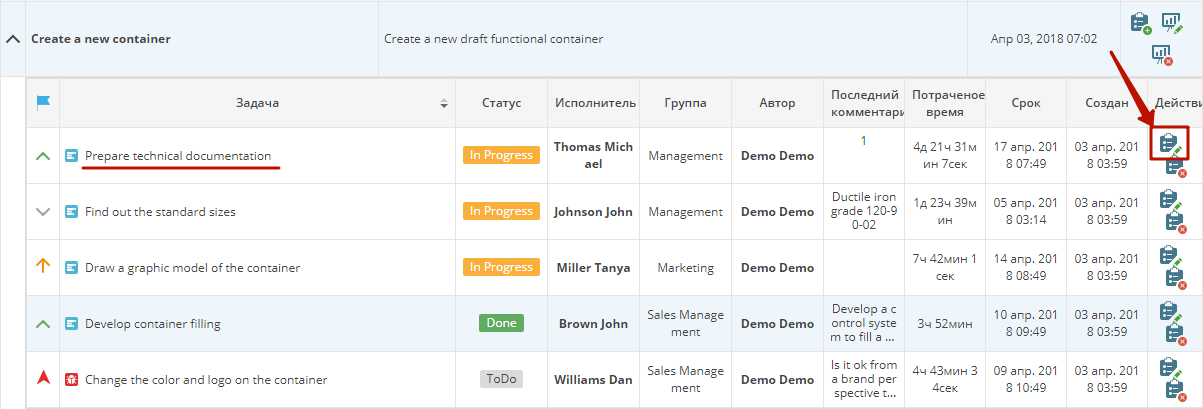
 In order to change the Day date of the given task, you have to edit it. Find the to-do in the global list of pending jobs, or through filters. Open the task by clicking on its name or icon editing on the right of the line.
 Change the dune date in the “Term” window and save by clicking on the save button at the bottom of the form.