
The project budget shows the cost of all tasks in the project, depending on the execution time, the rate and the previous budget. In the upper left corner, you can select the required project or several projects to view a detailed report. Click the left mouse button to select the project, click again to remove the selection.
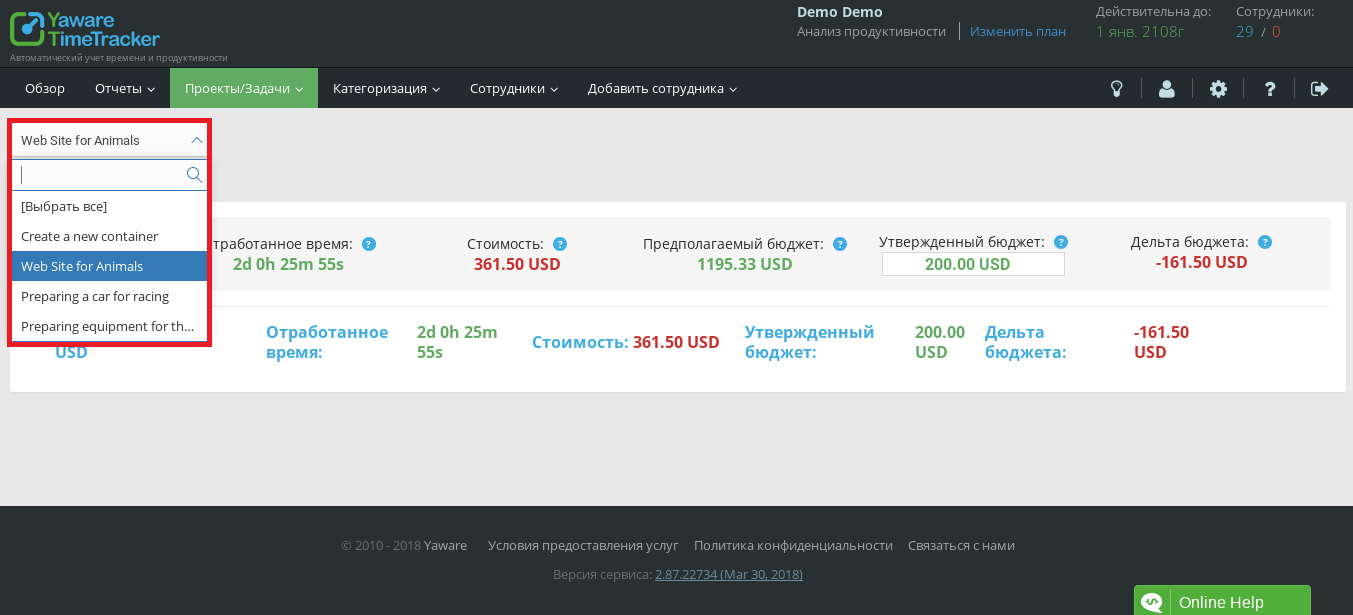
The general budget for the project consists of the following items:
- Worked time is the actual time spent on all tasks. It is calculated automatically as the sum of the time spent on all tasks at the time of generating the report.
- Cost — the actual cost of the project at the moment. It is calculated as the product of the hourly rate by the time worked for each of the tasks. If the cost is displayed in red, the project cost exceeds the planned budget.
- Estimated budget — the sum of the estimated budgets of all tasks. Based on estimated time and hourly rate of tasks.
- Approved budget shows the budget you have set based on the previous task plan. Let’s assume deadlines for completing tasks and an hourly rate to approve a preliminary budget.
- The budget delta is the difference between the actual costs of all tasks and the approved budget. If the value is displayed in red, the actual budget exceeds the planned cost.

In the project budget report view, edit the planned total budget. It can exceed the sum of all planned budgets for each task. Click on the edit icon, make your changes and save them by clicking the “tick”.
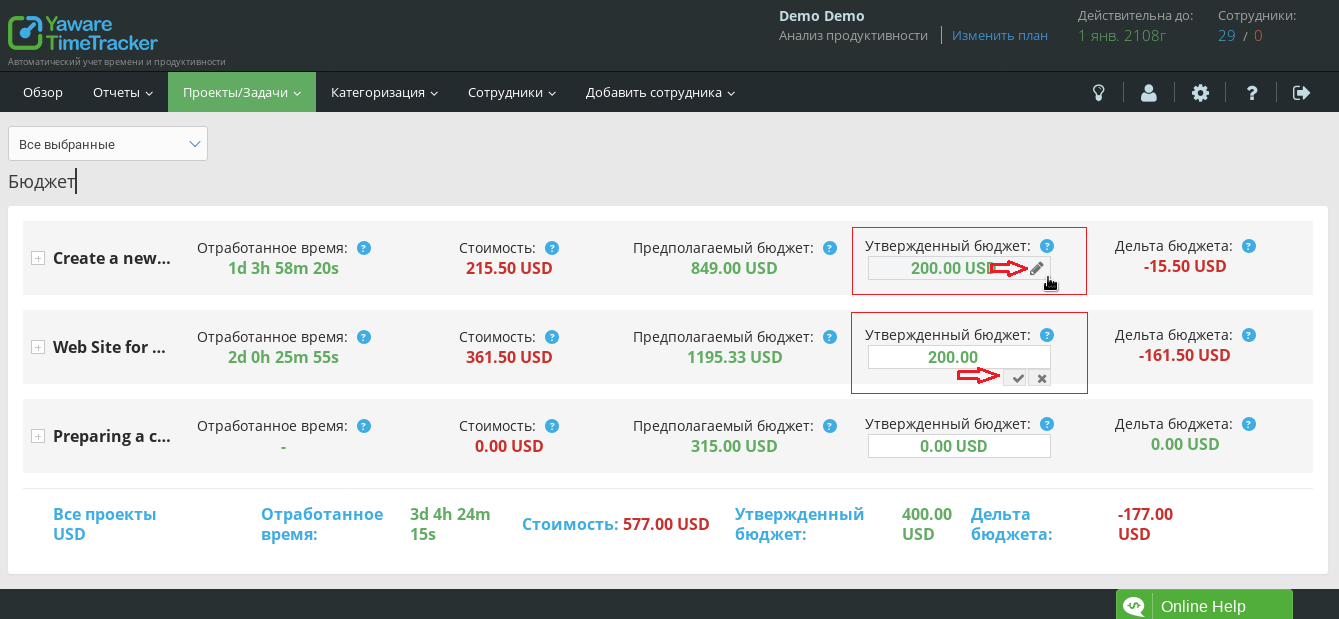
You can edit the approved budget, hourly rate, and estimated time directly in each task.