
Use the next instruction to open the CSV document in Excel.
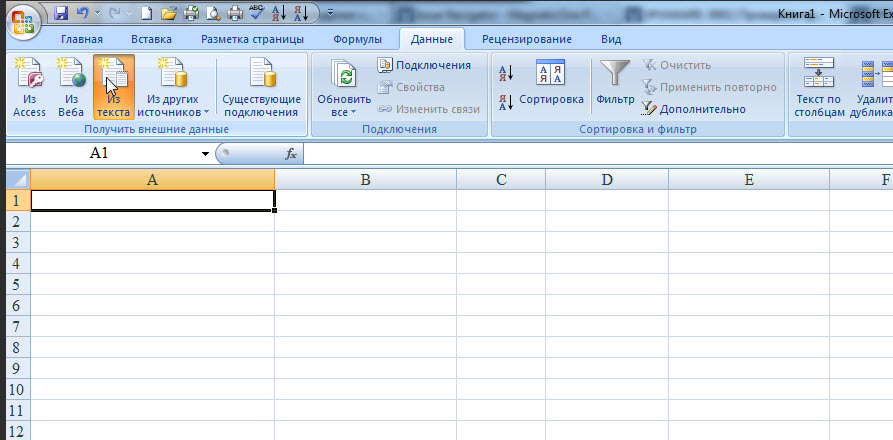
Open Excel document. Click on the Data tab in the toolbar.
From the menu, select your document and open it.
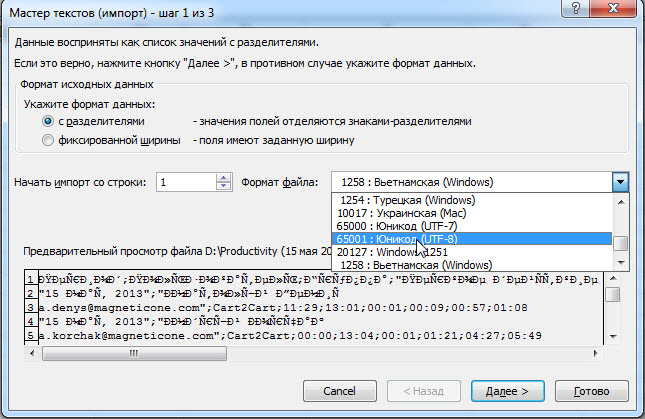
 In the File Format line, select 65001: Unicode (UTF8) and press Next.
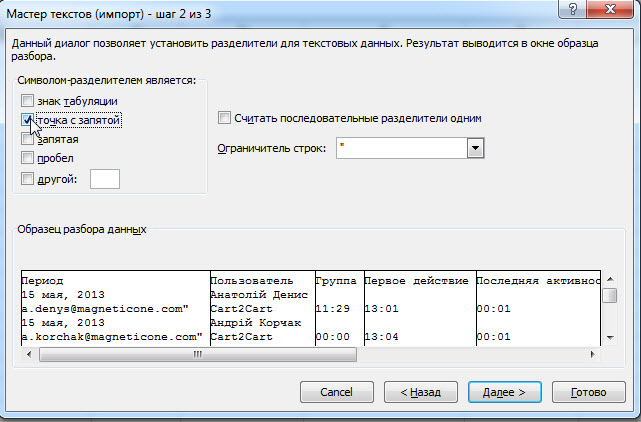
 Use the “Tab sign” box and place it in front of the “semicolon” screen. Click on it.
 Specify where to put the data and click OK.
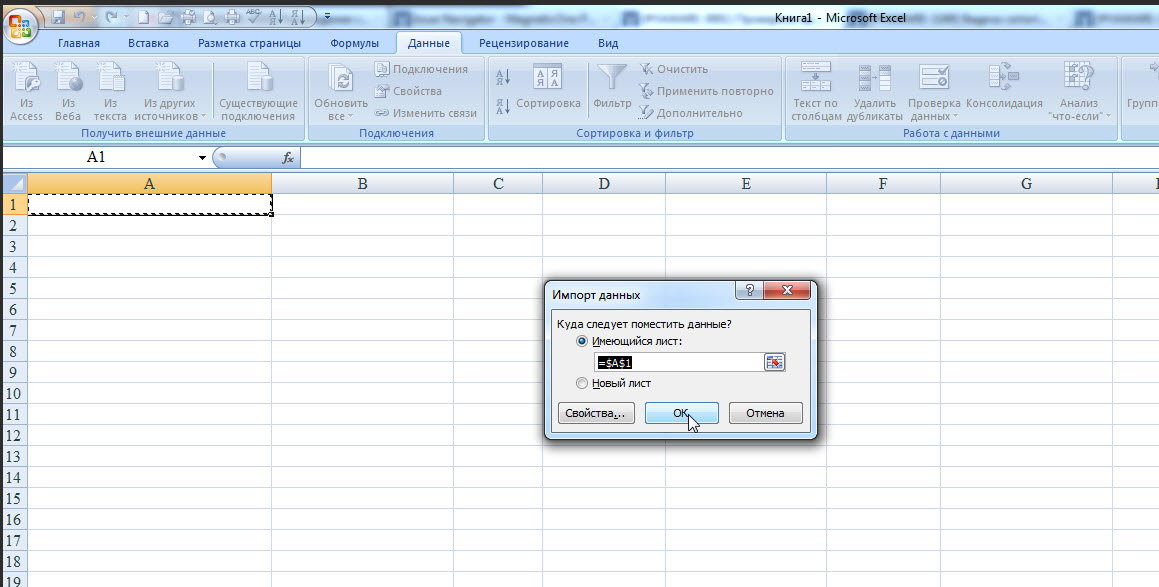 The selected document will be automatically added to the selected Excel document.