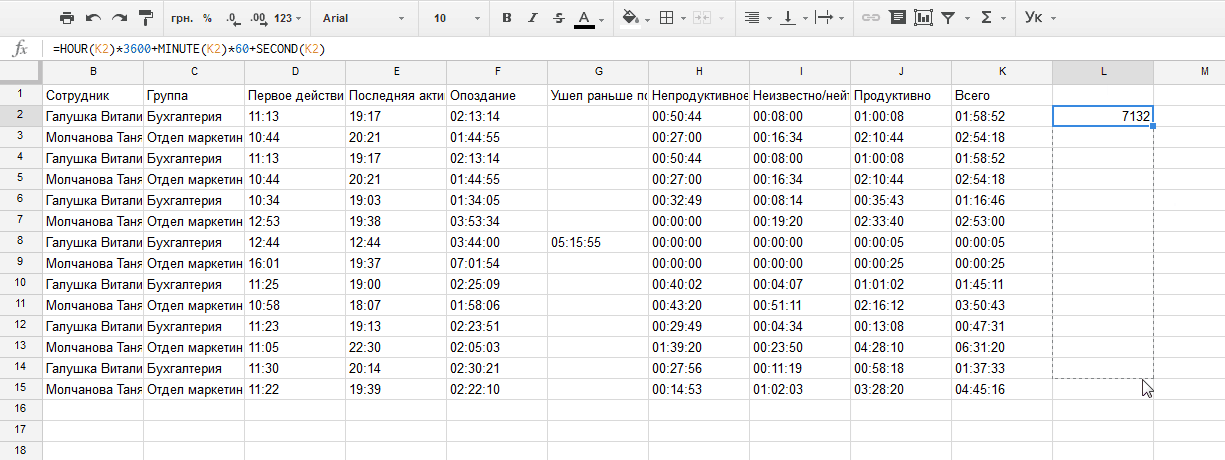
If you work in MS Office, you can convert time into seconds:
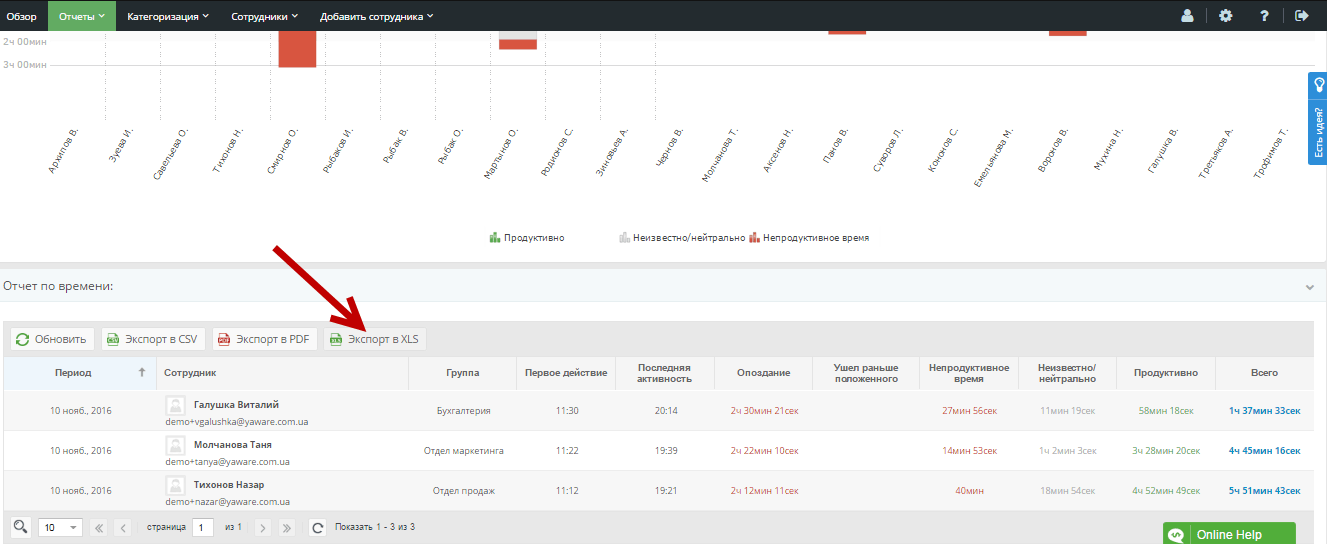
1) Select in the account for the time report and then the “Export to HLS” option:
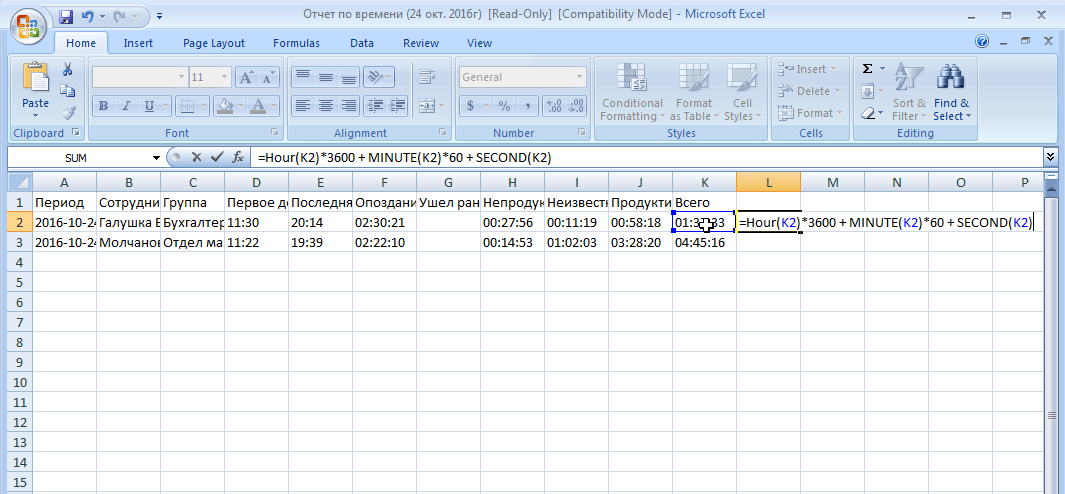
2) Open the report with MS Excel and enter the formula below:
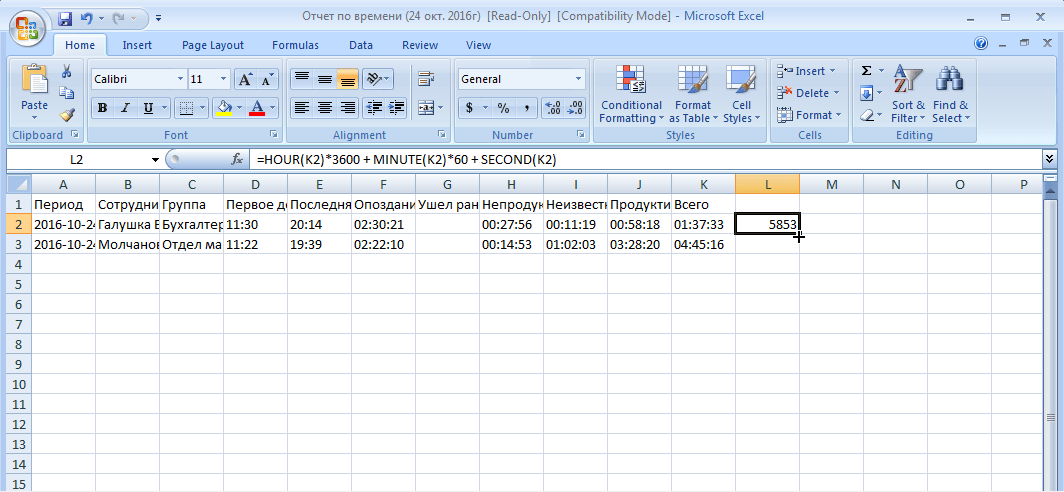
3) When you call Enter on the keyboard, you’ll get the value in seconds. Drag it down to automatically count time for other members:
If you work atGoogle DocsSo to convert time into seconds:
1) Select the time report in the ledger and then the “Export to SV” option:
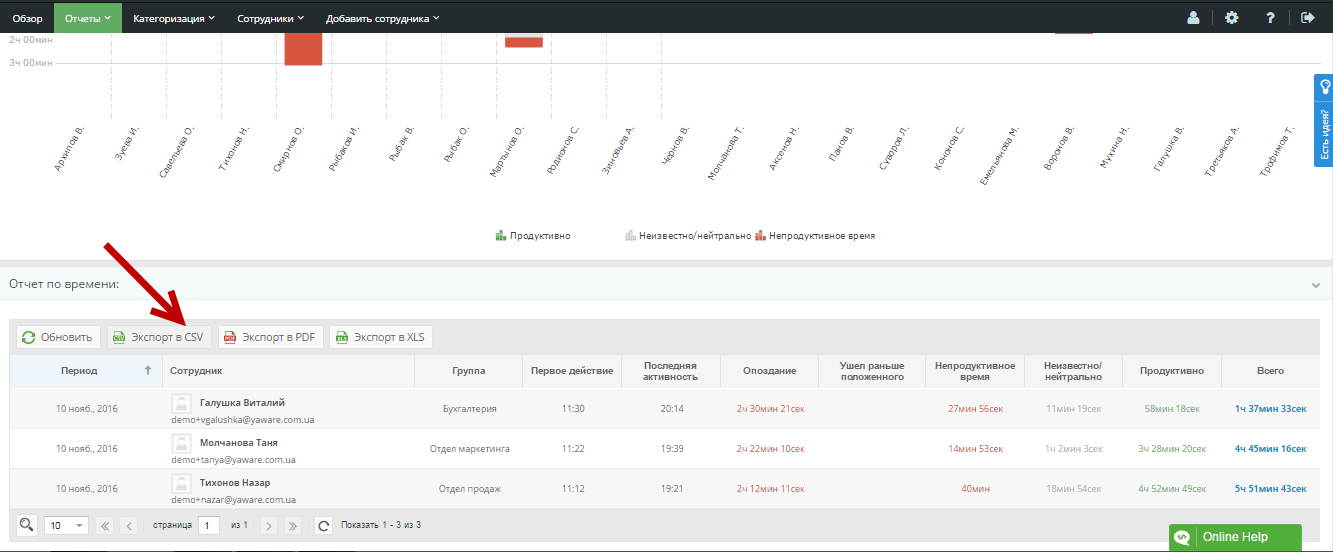
2) Go to Google Shets (Google Tables) and click “File” – Import. Then select the desired file from the computer – loaded by the exported report.
3) Enter the formula specified below:
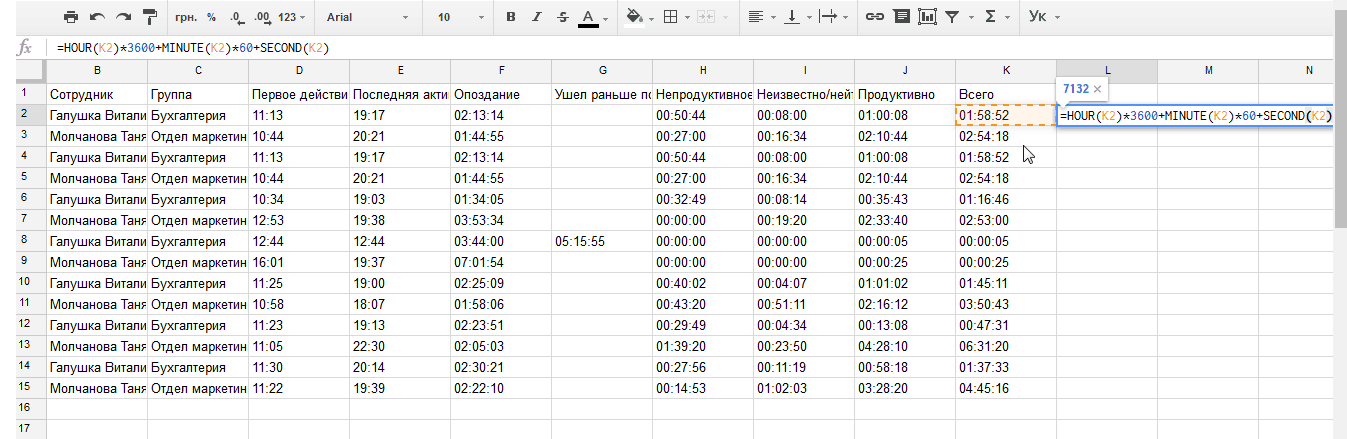
4) You will receive values in seconds, stretch it down to automatically count time for other members: