
The Project / Jobs menu provides detailed reports for a few minutes. Reports can be created by projects, by separate tasks or by a group of tasks. For example, put together all the marketing data from different projects. The report can easily be exported to CSV or XLS files.
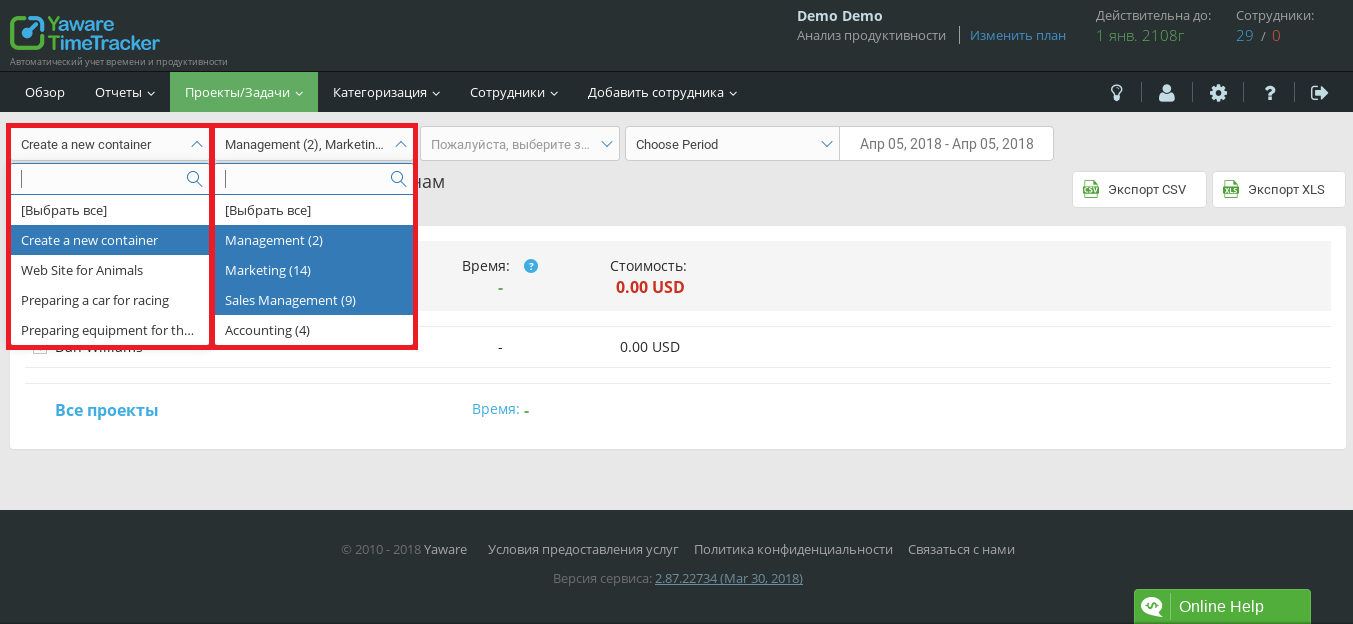
 To create a detailed report for the necessary criteria, filter the values in the box above. Select the project, task, or person responsible for the task. For example, take a look at the employee activities report in all projects.
 Highlight the required options by pressing the & LMB;. Select one, two or more options for the report. Left click to remove the selection.
 A report can be created at any time period. Set the required amount of time for the vaporizer. Move the year by clicking on the arrows next to the year.
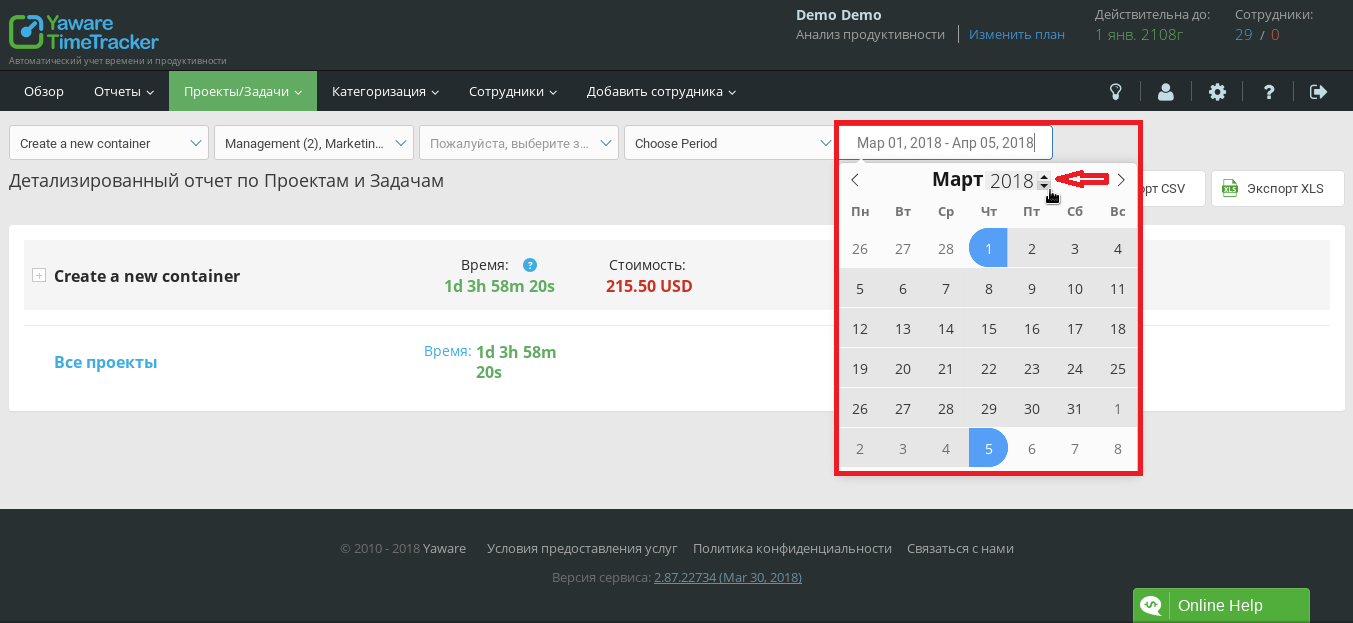 You can select the period Monday or the first number of the current month for your convenience.
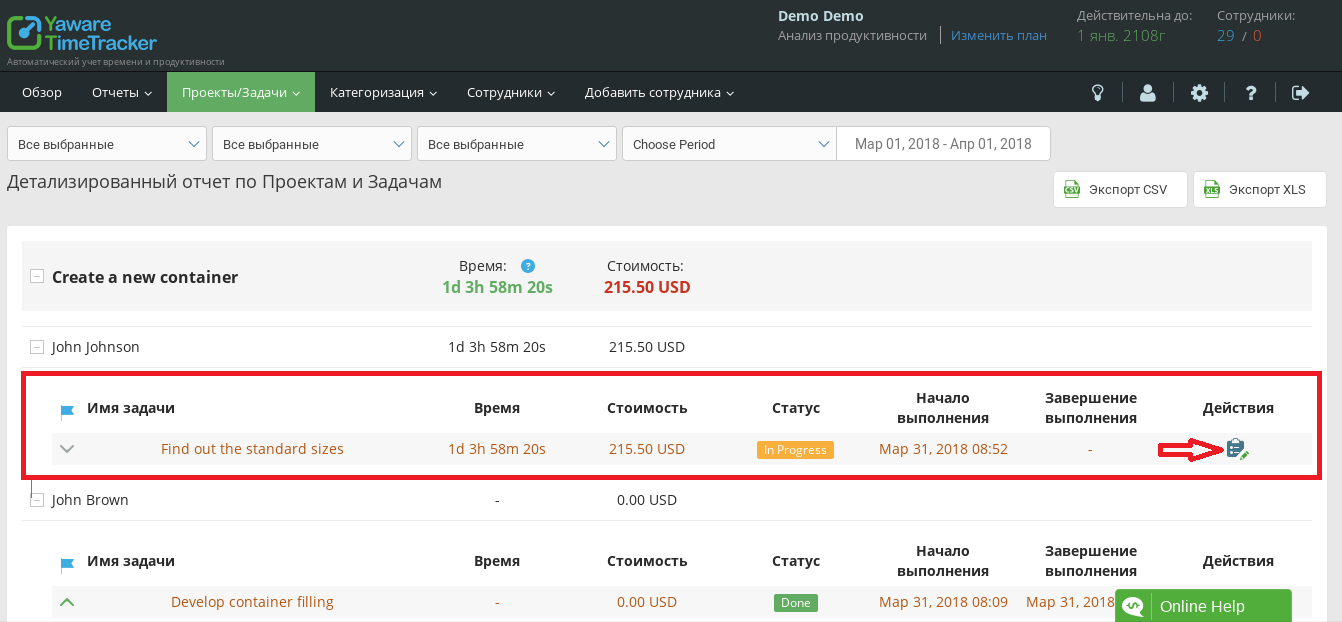
 A detailed description of the selected projects or to-dos before creating a report. The page displays the project name, a fellow worker and his to-do, job names, cost, execution status, start and end of the task. If you need to edit the data and status of the to-do, click on the list badge at the to-do name.
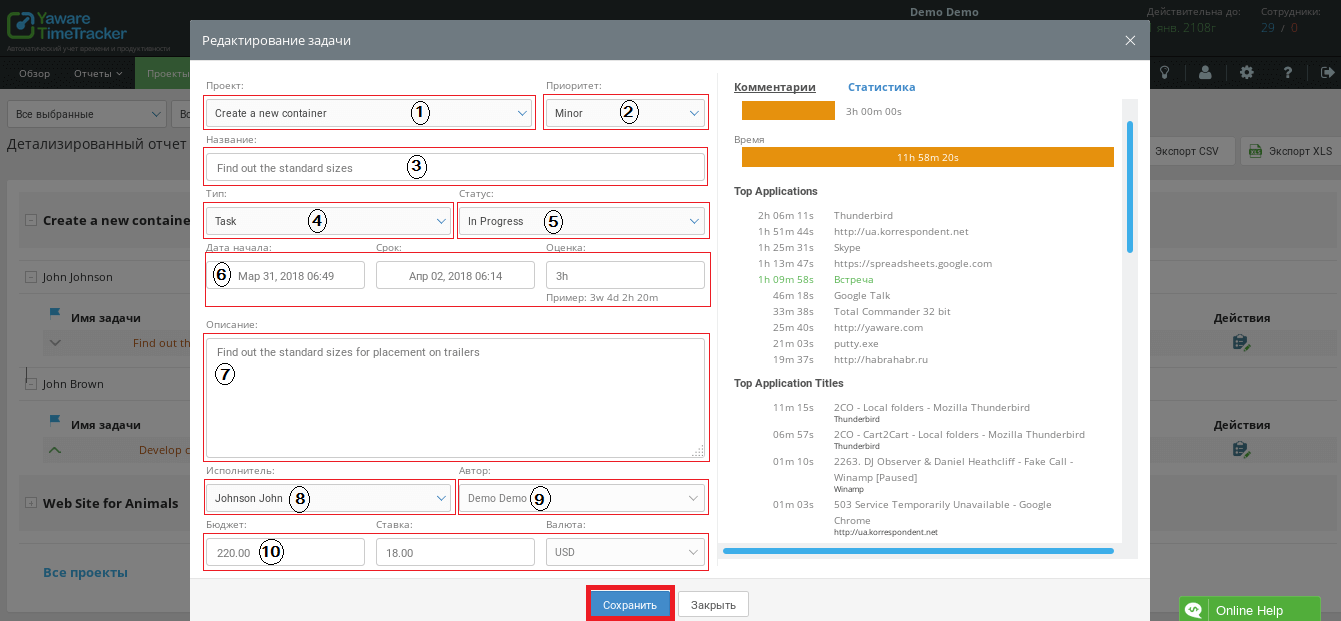
 In the edit dialog edit:
- A project – a task can be transferred from one project to another.
- Priority is a basic, minor, critical or blocking task.
- Task name.
- Job type is a task or a bow.
- Task Status – in progress, you have to do, done, task closed.
- Start and end of the task.
- Detailed description of the task.
- Responsible person.
- Wrote.
- The budget is the total budget, the cost of execution per hour of work, the currency.
After all changes press Save. On the right hand side of the edit window, comments and actions are displayed and statistics are on the task.
 Click the button in the top right corner of the screen to export the report. Reports are stored in the format .csv or .xls.XLS format supported by new and old versions of Microsoft Excel and free products Open Office, Lire Office. Report will be saved in a folder according to your browser settings.
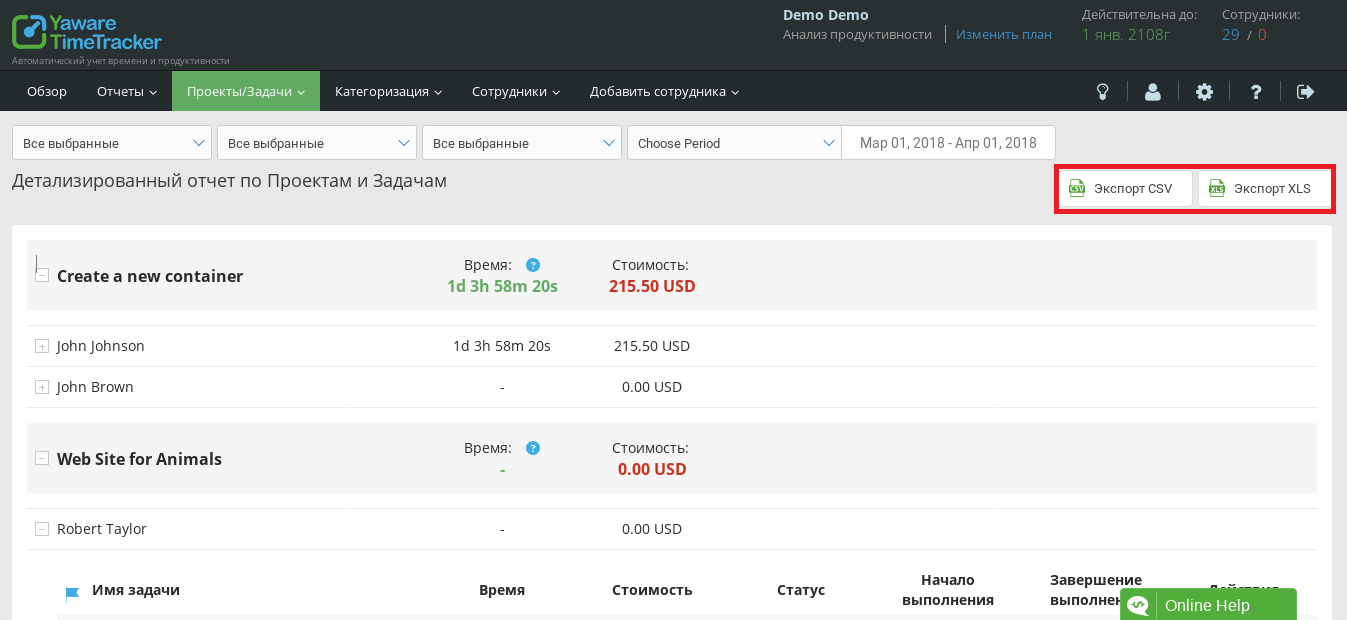 The exported table will contain columns called the project, artist, job name, cost, currency, time, start and end. The reports you have received can be processed in tables and databases, & eg; sorted by artist, summing up costs and so on.