
In order to test what your monthly plan is now, go to your account.
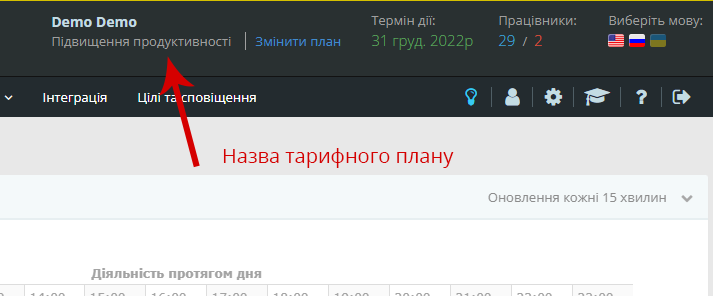
The top right corner is the name of the reef plan you use at the moment.
 You can also enter the “Setting up the account” / History of Subscriptions.
The tab contains information on all payments associated with Yaware.TimeTracker and allows you to print necessary documents.
And then, in the column of the Tarthial plan, you can check which of the tariffs you’re using right now.
You can compare monthly plansHere.