
The section provides an opportunity to quickly review the data for the day and use the received data for timekeeping of the employee’s working day.
Activities during the day
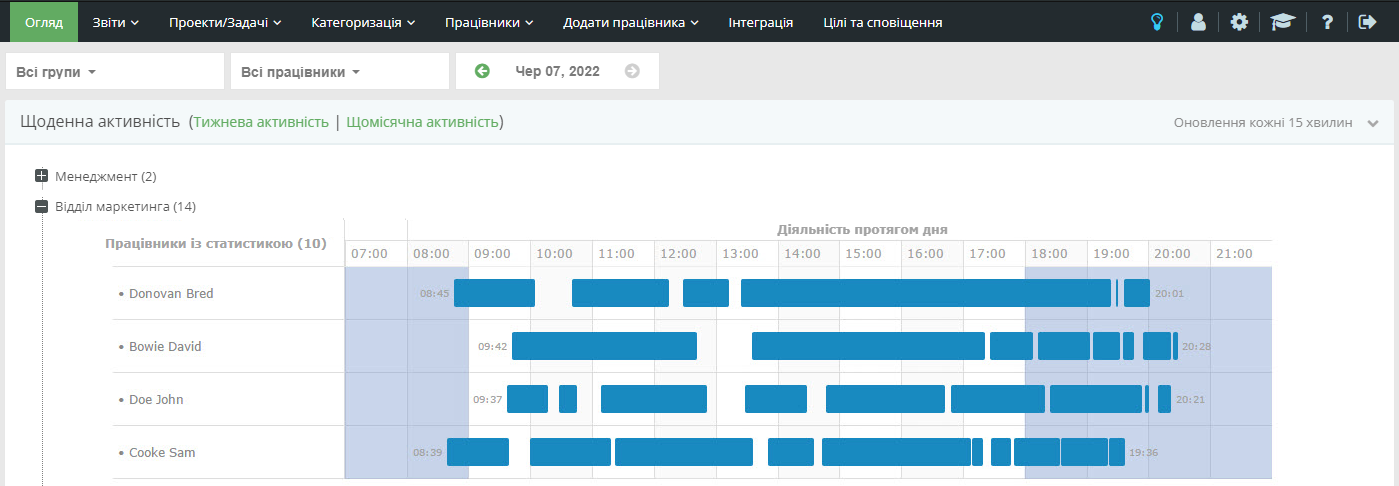
The overview of activities during the day in the “Automatic Time Accounting” tariff plan will look like this:
And the overview of activity during the day in the tariff plans “Analysis of productivity” and “Improving productivity” will look like this:
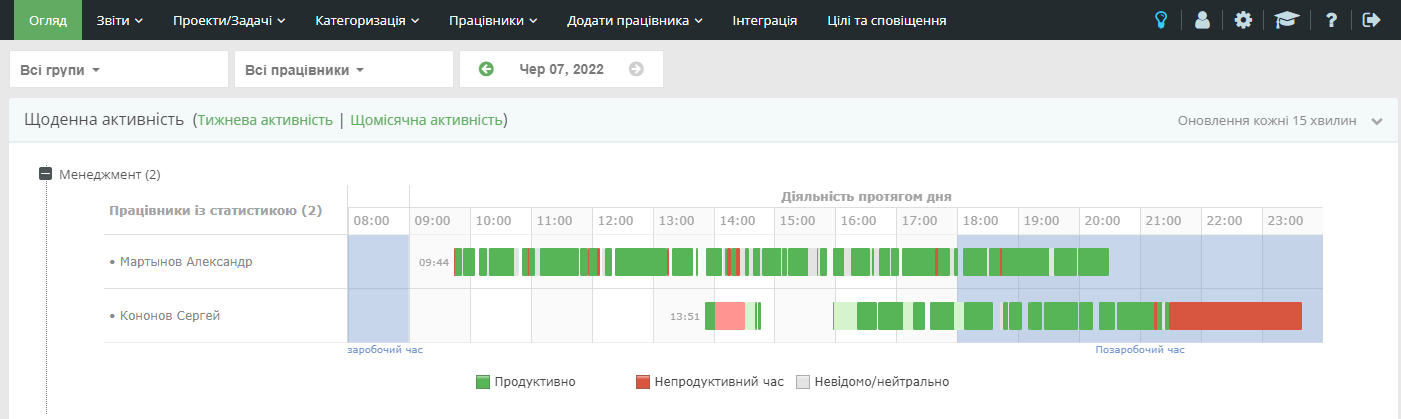
The chart represents user activity per day. It can be used to quickly determine:
- who and when started / finished the working day

- what activity prevailed during the day

- which programs were used more often / for the longest time
>>
Detailed information is available when hovering over the chart. A user’s list of applications can be viewed by clicking on their graph.
Charts are displayed by user name in alphabetical order.
Summary activity for the day
The overview of the total activity during the day in the “Automatic time accounting” tariff plan will look as follows:
An overview of the total activity per day in the “Productivity analysis” and “Productivity improvement” tariff plans will look like this:
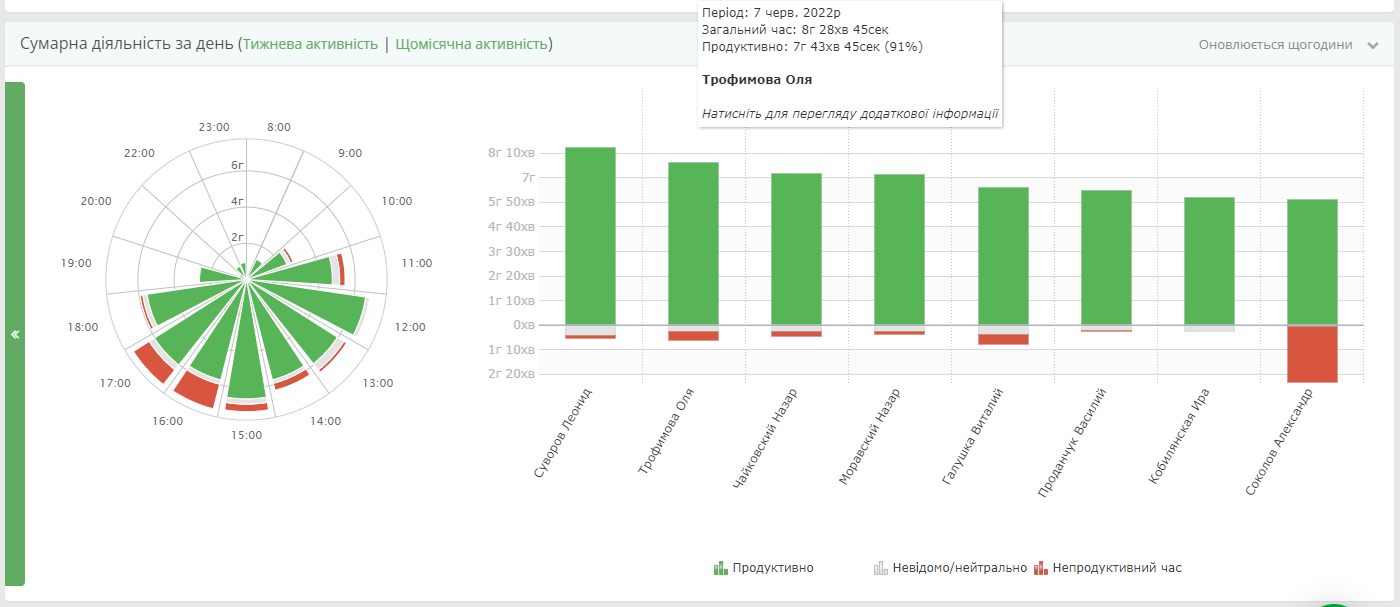
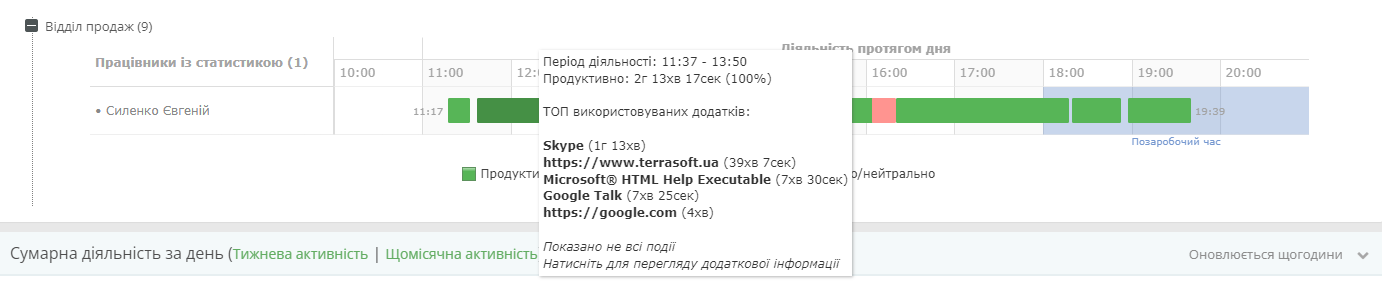
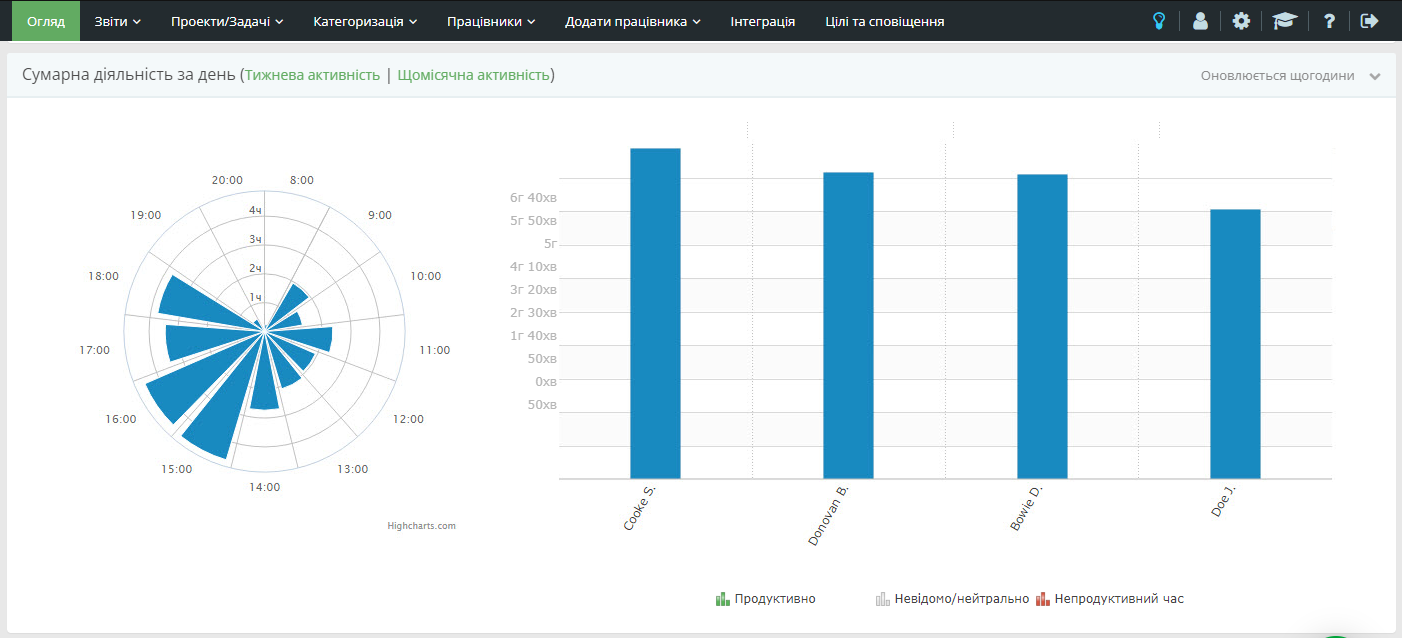
This chart gives an idea of the efficiency of the time spent on the computer. Activities are summarized in terms of the productivity of the programs used. Users are ranked according to the amount of productive time.
When displayed on the user’s schedule, information is displayed on the amount of time spent on a particular activity, as well as the percentage of this time in relation to the total time.
If the chart is predominantly gray (uncategorized apps), you need to define categories for unknown apps or change the default performance. This can be done using the section “Categorization”
Filter settings to search for users or by date
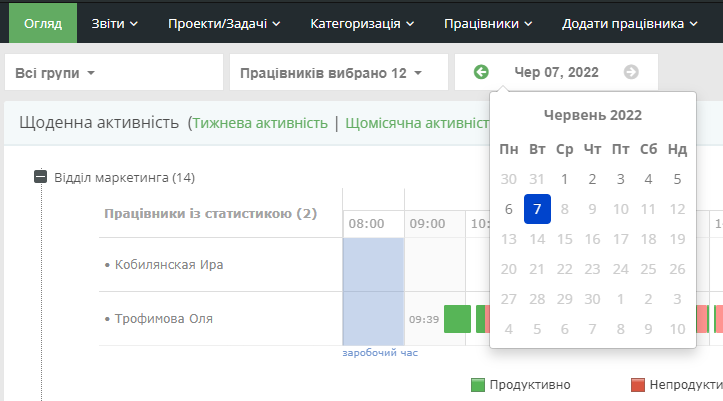
By default, data on all users for the current day is displayed. Using the filter, you can specify a specific user or select a different date for displaying statistics.
If you do not have user groups created, the group filter will be hidden.